This post is a record of grappling with web accessibility, public web services, and the responsibilities of developers from direct, hands-on experience.
Between law, technology, standards, and reality, I try to answer the question: “Are we really building for everyone?”
In the previous post, we reached this question:
Even after meeting accessibility standards, why are so many people still excluded from digital services?
The institutional answer to this question is the Digital Inclusion Act.
This post will summarize at a glance:
- What problem awareness led to the Act
- How it differs from existing legal frameworks
- What to focus on from a practical perspective
1. What is the Digital Inclusion Act?#
The Digital Inclusion Act (official name: Digital Inclusion Act) is not just a new welfare law, but a foundational law that shifts digital transformation policy from a technology-centered to a people-centered perspective.
Core Purpose of the Act#
Article 1 (Purpose) of the Act states:
“This Act aims to contribute to the improvement of quality of life and social integration of all members of society by stipulating matters concerning the promotion of digital inclusion and the development of related industries.”
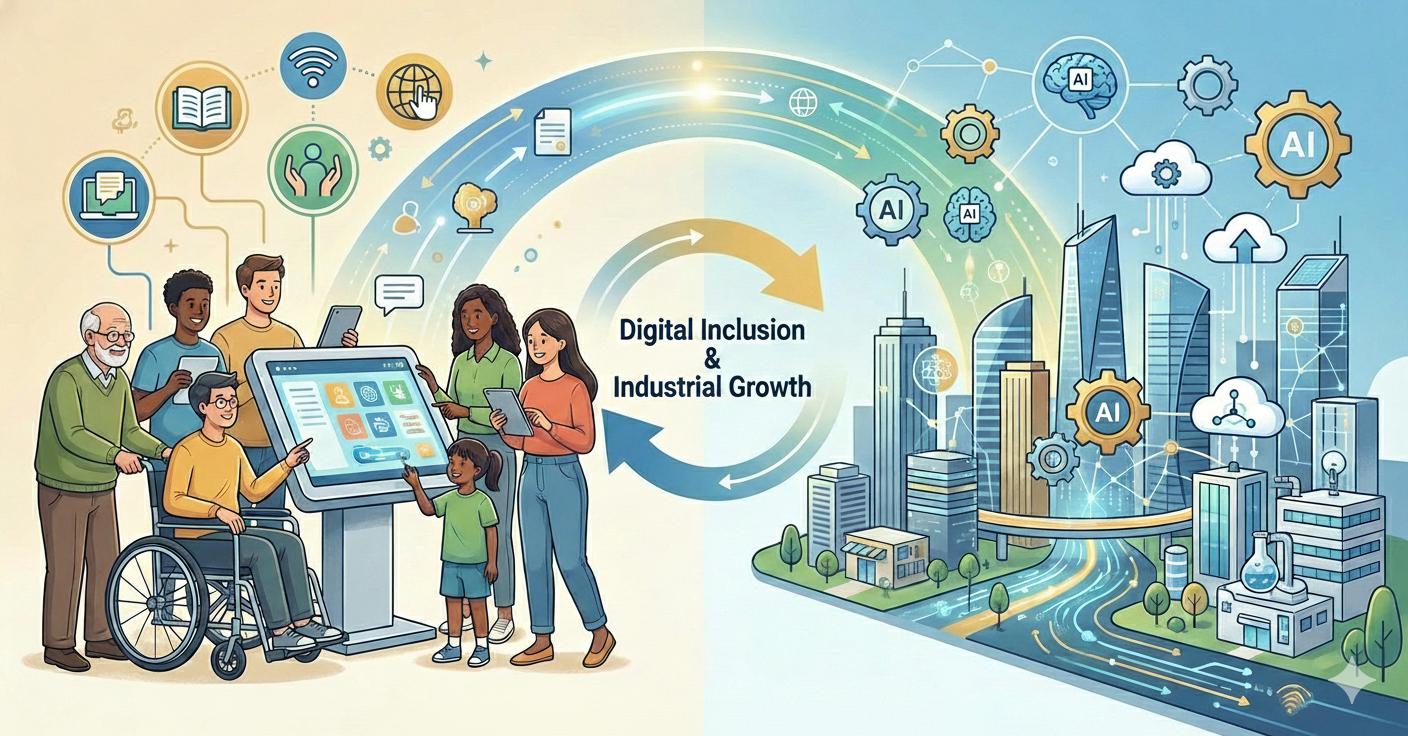
Purpose of the Digital Inclusion Act: Usability and industry development. (Created by Nanobanana)
In other words, the Act pursues two goals simultaneously:
- Promoting digital inclusion: Enabling all citizens to practically use digital technology
- Developing related industries: Fostering an ecosystem for digital inclusion technologies and services
It is not a law to “advance technology,” but a law that asks “who uses technology, and how?”
2. Relationship with the Framework Act on Intelligent Informatization#
This is where many people first feel confused.
“We already have the Framework Act on Intelligent Informatization. Why do we need the Digital Inclusion Act?”
The two laws are not substitutes, but complementary.
Key Comparison#
| Category | Framework Act on Intelligent Informatization | Digital Inclusion Act |
|---|---|---|
| Perspective | Technology/Industry-centered | People/Usability-centered |
| Purpose | National competitiveness, technological advancement | Narrowing the digital divide, ensuring inclusion |
| Policy Target | National scope | All citizens, including digitally vulnerable groups |
| Core Question | How to become smarter? | Who is being excluded? |
| Key Content | AI development, data utilization, industry growth | Digital competency education, accessibility guarantees, alternative means |
| Legal Nature | Foundation for technological advancement | Law for usage rights and responsibilities |
Why Was a Separate Law Needed?#
According to the Ministry of Science and ICT:
“The existing Framework Act on Intelligent Informatization is structured primarily around digital divide reduction policies, and has limitations in systematically implementing digital inclusion policies and inducing active participation from businesses and the private sector.”
In other words, if the Framework Act on Intelligent Informatization asks
“How will we advance technology?”
Then the Digital Inclusion Act asks
“Who can use that technology, and to what extent?”
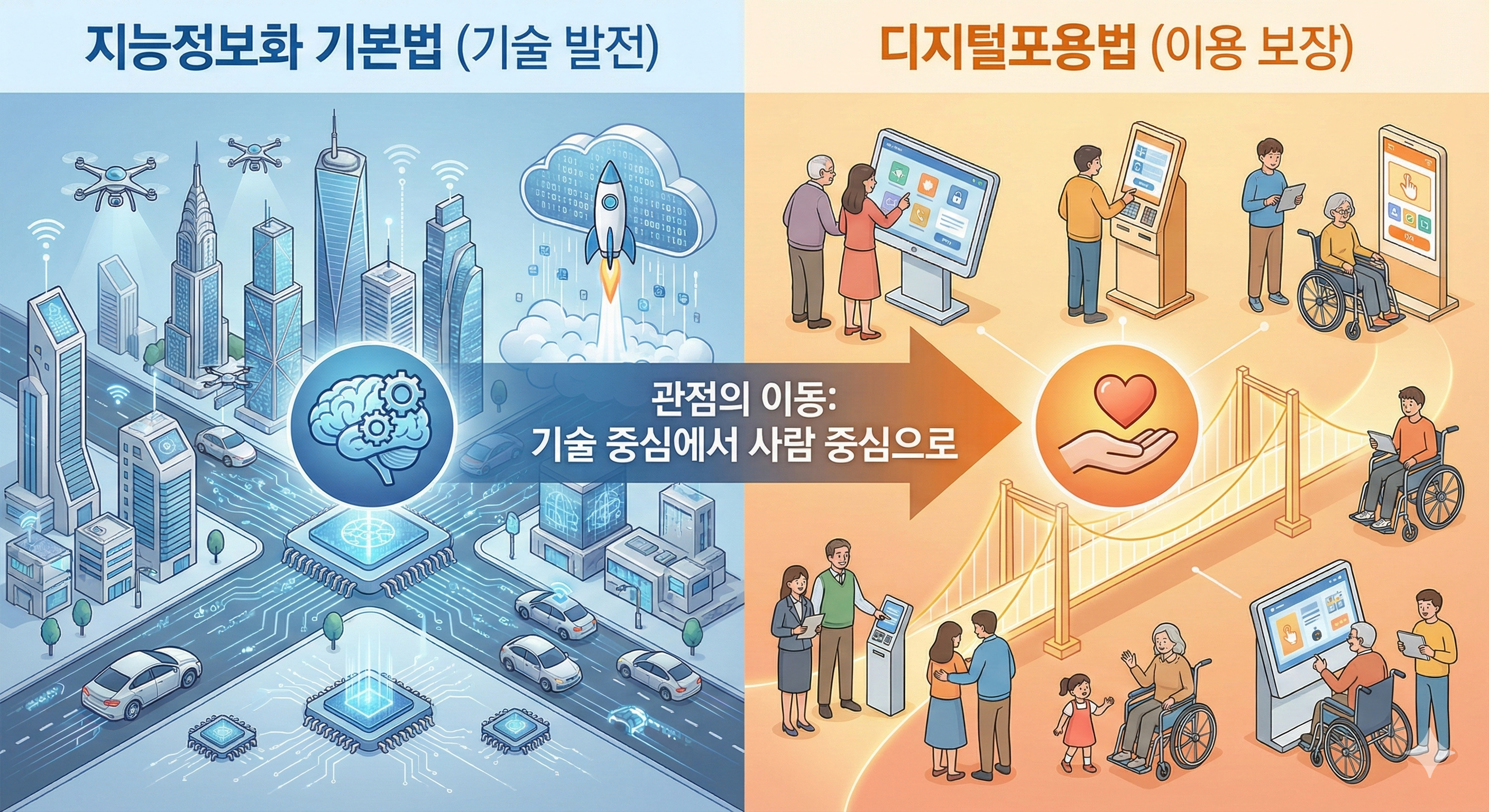
Differences in perspective between the two laws: technological advancement vs. usage guarantee. (Created by Nanobanana)
3. The Scope of ‘Digital Inclusion’ in the Digital Inclusion Act#
Digital inclusion as defined by the Act is not limited to web or app accessibility.
Three Pillars of Digital Inclusion#
① Digital Competency (Chapter 3)#
- Ability to use digital devices
- Ability to understand, judge, and select information
- Building capabilities through education and learning
- Designation and operation of digital competency centers
- Development and distribution of standardized educational materials
👉 Not just “being able to use it,” but “being able to understand and utilize it”.
Photo by FLASHCOM INDONESIA / Unsplash
② Ensuring Usage Environment (Chapter 4)#
- Accessibility of intelligent information services and products
- Mandatory ease of use for kiosks and other unmanned information terminals
- Provision of alternative means for non-digital technology users
- Conducting digital inclusion impact assessments
👉 Even if technology exists, an unusable environment is not inclusion.
③ Preventing Adverse Effects of Technology (Article 5)#
- Exclusion due to automation
- Lack of transparency in AI decisions
- Marginalization from technological change
- Mitigation and resolution of adverse effects
👉 Digital inclusion considers the negative aspects of technology.
4. Who Does the Digital Inclusion Act Target?#
The term repeated throughout the law is “all citizens”. However, the policy focus is clear.
Main Policy Targets#
Traditionally digitally vulnerable groups:
- People with disabilities
- Elderly
- Low-income population
- Rural and fishing community residents
Newly targeted groups:
- Digitally unskilled individuals
- Migrants and foreign residents
- People facing cognitive difficulties
- Users facing situational constraints
Important Change#
An important shift is that disability status is not the criterion.
Article 2 of the Digital Inclusion Act defines:
“Digitally vulnerable groups” are people who face difficulties accessing or using intelligent information services or products due to age, gender, disability status, socioeconomic circumstances, or other factors
In other words, the Digital Inclusion Act is not based on “does this person have a disability?” but “is this person excluded from the usage process?”
5. Essential Points to Consider in Practice#
① Kiosks and Unmanned Information Terminals (Article 20)#
The most concrete and immediately impactful provision
The Digital Inclusion Act demands not “accessible kiosks” but “easy-to-use kiosks”.
Key Change: Previously, obligations were placed only on installers and operators (restaurant owners, cafe owners, etc.). Now, manufacturers and rental businesses also bear obligations.
Practical Implications:
- Reduced steps
- Clear guidance
- Recovery path after failure
- Structure enabling human assistance
- Alternative means provision

Example of kiosk design considering ease of use. (Created by Nanobanana)
This directly impacts both development and planning.
② Digital Inclusion Impact Assessment (Article 12)#
New obligation for public institutions
When government agencies:
- Newly introduce, develop, or build intelligent information services and products, or
- Implement plans or projects that may significantly impact digital inclusion
👉 Must conduct a digital inclusion impact assessment in advance
Considerations in assessment:
- Scale and characteristics of all users
- Accessibility for digitally vulnerable groups
- Provision of alternative means
- Measures to prevent adverse effects

Photo by Vitaly Gariev / Unsplash
③ Overall Digital Service Design#
This question becomes practically important across web, app, and AI services:
- Do users not get lost?
- Is the next action clear when failure occurs?
- Is there explanation for automated results?
- Are there options for human intervention?
- Is there an alternative path for non-digital users?
Now these questions are not “UX improvements” but factors to be examined institutionally.
6. Policy Implementation System for the Digital Inclusion Act#
Three-Year Basic Plans (Article 8)#
The Minister of Science and ICT establishes digital inclusion basic plans every three years
Includes:
- Basic direction of digital inclusion policy
- Methods for enhancing digital competency
- Approaches to ensuring accessibility of intelligent information services and products
- Methods for developing digital inclusion technology and industry
Annual Implementation Plans (Article 9)#
Relevant central government agencies and local governments establish and implement annual implementation plans based on basic plans
Actual Conditions Survey (Article 11)#
Digital inclusion surveys conducted every two years
7. Key Provisions Developers and Planners Should Note#
Article 19 (Ensuring Accessibility of Intelligent Information Services)#
Government agencies must:
- Comply with accessibility standards when providing intelligent information services and products
- Ensure smooth access and use by people with disabilities, elderly, etc.
Article 20 (Providing Convenient Use of Unmanned Information Terminals)#
Obligations of manufacturers and rental businesses:
- Design and manufacture for ease of use
- Provide usage convenience
Obligations of installers and operators:
- Install unmanned information terminals accessible to people with disabilities, elderly, etc.
- Make efforts to provide alternative means
Article 21 (Providing Alternative Means for Non-Digital Technology Users)#
The government, local governments, and public institutions must:
- Enable service use without using intelligent information technology
- Make efforts to provide alternative means
8. Digital Inclusion Practical Checklist#
The Digital Inclusion Act does not demand new technology. Rather, it makes us re-examine existing functions with different questions.
This checklist “Is this service truly usable by everyone?” from a practical perspective.
👩💻 Developer Checklist#
From “This function works” to “This function is understood”
1️⃣ Flow and Status Communication#
- Can users clearly know which stage they’re at?
- Are processing / completed / failed statuses clearly distinguished visually and textually?
- Are there pre- and post-guidance during screen transitions or automated processing?
2️⃣ Error and Failure Response#
- Do error messages communicate both cause and next action?
- If the same mistake is repeated, does the user not become worse off?
- Is there a path to undo after failure?
❌ “An error occurred” ⭕ “Your input time has expired. You can try again or retrieve your temporarily saved content.”
3️⃣ Implementing Automation/AI Features#
- Can you explain why the automated result is what it is?
- Do users have the option to reject or modify automated decisions?
- When AI judgment fails, is there a path for human intervention?
4️⃣ Alternative Means and Workarounds#
- If a specific function can’t be used, does an alternative method exist?
- Have you considered differences in usage across devices (mobile, PC, kiosk)?
- Are you imposing excessive cognitive burden in security and authentication procedures?
🧭 Planner Checklist#
From “The feature exists” to “Who can’t use it?”
1️⃣ User Definition Stage#
- Who would find this feature most difficult to use?
- Have you considered exclusion risk in the usage process, not just disability status?
- Have you reviewed scenarios from elderly and digitally unskilled perspectives?
2️⃣ Feature Design Questions#
- Can first-time users understand this feature?
- Can users predict the next action without explanation?
- Does one mistake make users give up?
3️⃣ Process and Step Design#
- Are there unnecessarily complex steps?
- Are current location and remaining steps always perceivable?
- Can users resume from where they left off?
4️⃣ Alternative Routes and Exception Flows#
- For users unable to use this feature, is there an alternative service?
- If online is difficult, are there offline or human connection routes?
- Is minimal use possible even in emergencies?
9. What This Checklist Means#
This checklist is not meant to “replace an accessibility checklist.”
Rather, it’s better understood like this:
Web accessibility is the starting line, and digital inclusion is the finish line.
Even after passing accessibility checks, if this checklist keeps showing ❌, that service likely still excludes someone.
10. Conclusion – Digital Inclusion is a “Change in Attitude”#
The Digital Inclusion Act does not demand new technology from developers and planners.
Rather, it demands this attitude:
- “Is the user’s lack of understanding the user’s fault?”
- “Was this failure truly unavoidable?”
- “Does this automation convenience some while pushing others away?”
Organizations and individuals who can ask these questions during the design phase will become increasingly important.
Questions Continue#
If the Digital Inclusion Act asks “Who is being excluded?” the AI Basic Act asks “What is AI deciding?”
The two laws take effect together. And they must be read together.
Next post preview: “Why the AI Basic Act Asks ‘Accessibility’ Again”