This is a review of a product I paid for with my own money. There was no sponsorship or freebie involved — I’ve written honestly about both what I liked and what I didn’t.
Intro: I Bought Yet Another Timer#
When I can’t focus, the easiest thing I reach for is a timer. You’ve probably heard of the Pomodoro technique — “focus for 25 minutes, rest for 5.” But when you actually try it, the problem shows up in a surprisingly simple place: even turning the timer on feels like a chore.
The moment you open your phone’s timer, notifications and messages catch your eye too. App timers come with ads. Mechanical timers have that ticking that gets on your nerves. So, with a “maybe I’ll keep a dedicated focus timer on the side” kind of mood, I bought another one. This time I went with the Dr. Lee Brain-Science Pomodoro Timer, said to be developed by a KAIST PhD (brand: UNIZ / Dr. Lee Brain Research Lab). It normally runs ₩28,900, and with a discount I picked it up for the low ₩20,000s.
To cut to the chase: it earned a permanent spot on my desk for a while. That said, it isn’t flawless, and as a developer — especially someone who looks at accessibility a lot — I definitely spotted a few things to nitpick. Let me walk through them one by one.
What Is the Dr. Lee Brain-Science Pomodoro Timer?#
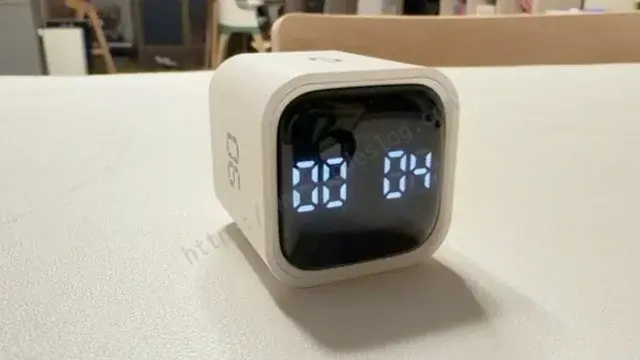
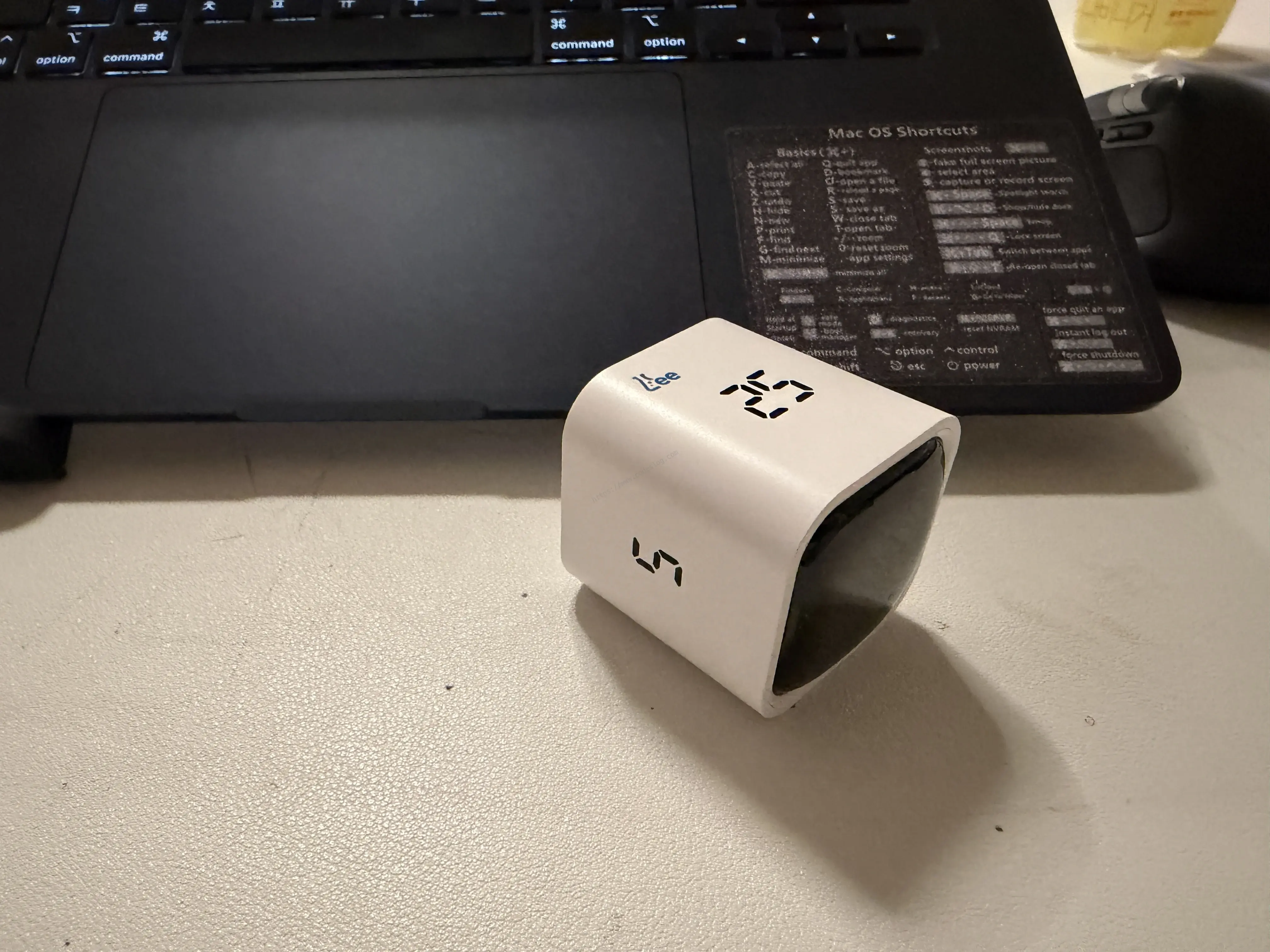
In a word, it’s a digital flip timer that sets the time using a gravity sensor. It’s a small cube that fits in your palm (the so-called “Google Timer” style), and each face has a preset time printed on it. Flip it so the time you want faces up, and the countdown just starts. It comes in two colors, black and white, and I went with the one that blends into my desk.
I’ll admit the “brain-science” in the name looked like marketing fluff at first — but the preset times engraved on the faces actually give it some grounding. They’re a 5 · 25 · 40 · 90 minute combo. Pomodoro (25 minutes) is the staple, 5 minutes is for a short break, and 40 and 90 minutes are for longer stretches of focus. This set of numbers is more thoughtfully chosen than it looks — more on that in a moment.
7 Things I Liked#
1. Digital numbers — the remaining time at a glance#
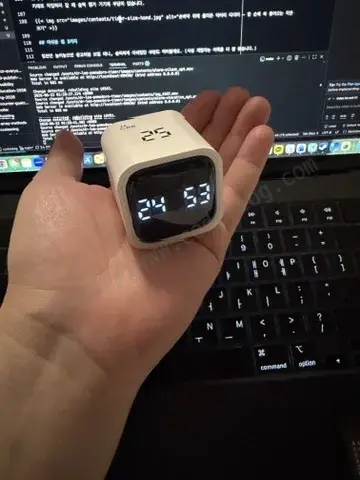
The first thing I liked was the digital number display. With analog timers, you have to eyeball the needle’s angle, but this one shows the remaining time in big, clear digits. Instead of “uh… about 7 minutes left?” you see exactly “07:12 remaining.” It’s perfect for glancing at out of the corner of your eye while it sits on your desk.
2. Gravity control — set the time just by flipping#
This product’s whole identity is its gravity-based operation. Just flip the cube so your target time faces up, and it starts immediately. No menus to dig through, no dial to turn. There’s something genuinely addictive about that frictionless experience where your hand moves the instant you think “focus time!”
3. 5·25·40·90: a golden combo for the 90-minute routine#
Honestly, this is the part I was most satisfied with. By combining the preset 5 · 25 · 40 · 90 minutes, you can easily design your focus rhythm for the day.
The key is that it doesn’t stop at the 25-minute Pomodoro — it includes a longer 90-minute block. Our focus is known to rise and fade in roughly 90-minute cycles (the ultradian rhythm), and this timer fits that flow nicely. So the “brain-science” label isn’t entirely empty talk after all. For example:
- 90-minute deep work → one cycle on the 90-minute face
- Or 25 + 5 + 25 + 5 + 25 + 5 → three Pomodoro sets to fill 90 minutes
- 40 min focus + 5 min breather + 40 min focus → 90 minutes for meetings or document work
Depending on how you combine the faces, you can pick “break it into small chunks today” or “go long in one stretch” based on how you’re feeling that day.
4. Silent · Vibration · Sound — an alarm for every setting#
I also liked that you can choose among three alarm modes: silent, vibration, and sound. In a café or office where noise is awkward, use vibration; at home, use sound; and when you need deep focus, go silent. Being able to switch to suit the environment means it’s never a burden wherever you put it. I captured each of the three modes in a short clip.
① Silent mode — the screen just changes to zero, with no signal at all.
② Vibration mode — set on a desk, it buzzes gently. Great for when sound is awkward but you still want a heads-up.
③ Sound mode — a clear, unmistakable alarm tone. (Turn your sound on to hear it.)
5. Completely silent — no ticking#
Because it’s electronic, there’s no ticking of a second hand at all. That mechanical “tick-tock” is white noise to some people, but for someone like me, it’s more of a distraction. In silent mode, it really makes no sound at all. It suited quiet early-morning work especially well.
6. USB-C charging — one cable for everything#
Almost every gadget on my desk these days has standardized on USB-C, and this timer supports USB-C charging too. There’s no buying or swapping batteries — just plug in the same cable you use for your laptop. It’s a small thing, but for something you use every day, it quietly makes a big difference.
7. Palm-sized — easy to carry, too#
It’s really small, which makes both carrying and using it easy. It disappears into the front pocket of a bag, and it takes up almost no space on a desk. When I head to a café to work, it’s no trouble to just slip it in and go.
3 Things I Wish Were Better#
If I only piled on praise, it would read like an ad, so let me honestly note the parts that disappointed me. (Developers are better at finding these, after all.)
1. Setting a custom time means tapping a button… a bit tedious#
The preset times (5·25·40·90) are genuinely convenient since you just flip — but to set any other time, you have to press a button one tap at a time. For something like “I just want 12 minutes,” you end up tapping the same button over and over, which felt a little annoying. Coming right off the convenience of the gravity control, the contrast feels bigger.
2. Silent mode: how do I know it’s done?#
This is silent mode’s blind spot. It’s nice and quiet with no sound or vibration, but there’s no light signal to tell you the timer has finished. So once you set it to silent, you have to actually look at the screen to know “is it done, or not yet?” Even a single LED blink at the moment it ends would have made it so much better.
3. A digital-display trap — when 90 looks like 06 (a.k.a. the accessibility bit)#
This might be the part my occupational habit flagged. Because it’s a digital number display, the digits can read upside-down depending on your viewing angle. Most notably, flip 90 vertically and it looks like 06. Given that this is a product you roll around in your hand, there’s room for a moment of confusion.
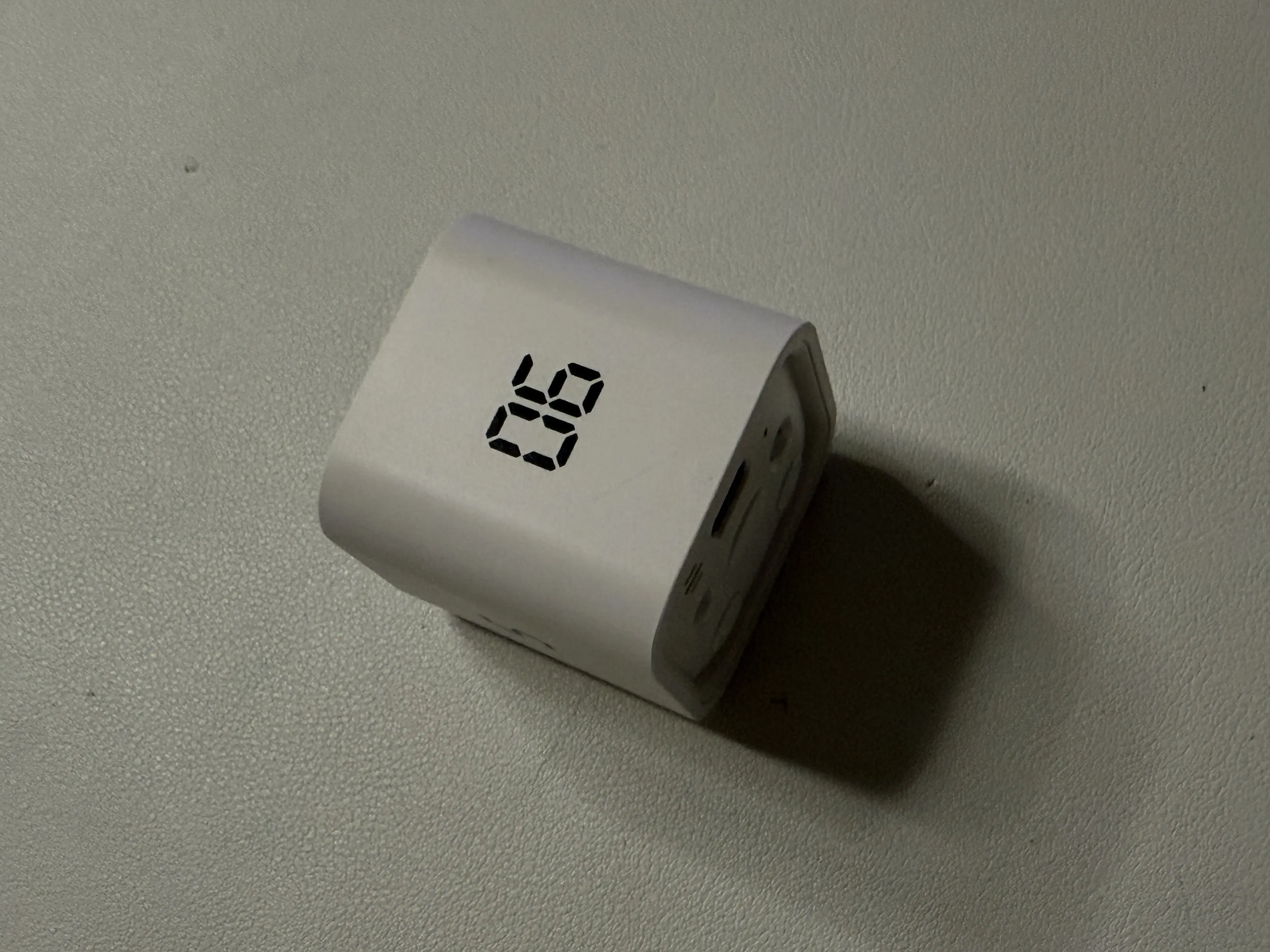
And here a thought I have all the time popped up. The principles of readability and accessibility that we care about on the web could apply just the same to this small physical product. Characters like 6 and 9 that are vulnerable to rotation and flipping become clearly oriented with just a single underline beneath them. In fact, dominoes and some watch faces add a dot or line under 6 and 9 for exactly this reason.
For users who need to read quickly, or who have trouble with spatial orientation, a small touch like this can make a big difference. One line under a number isn’t a big cost, is it?
When you build a physical product too, it would be great to pause and ask, “who, in what situation, might misread this, and how?” Whether it’s the web or a cube in your hand, it comes down to the same question.
So, How Do I Use It?#
My routine is simple. When I start working, I grab the cube on my desk and flip it so the 25-minute face is up, and when that’s done, I flip to the 5-minute face for a short break. On days that need a longer stretch, I go deep with a single 90-minute face. Being able to build a focus rhythm without ever turning on my phone — that, I think, is this product’s greatest virtue.
To sum up:
- Recommended for: people who use the Pomodoro or 90-minute routine, anyone looking for a ticking-free silent timer, and those who like to keep their desk simple
- Maybe a bit lacking for: people who frequently set arbitrary custom times, and anyone who wants silent mode and a visual alert at the same time
A small object can change a work habit. The Dr. Lee Pomodoro Timer took my laziness — “even turning the timer on is a chore” — and breezed right past it with a single flip of a cube. If those three nitpicks get refined in the next version, I think I’d recommend it without hesitation.
What focus tool sits on your desk? Let me know in the comments. 🙂
Leave a comment