Introduction#
This is the sixth post in the WCAG 3.0 series. This time I want to unpack what “beyond the web” actually means in practice. The earlier posts looked at structure, testing, and Assertions — now it’s time to get clear on “how far does the scope actually reach?”
Important: This post is based on the WCAG 3.0 Working Draft (2026-02-20). The Draft is subject to change, and this post may be updated accordingly.
WCAG 3.0 is still a Draft in progress, not a finalized standard — the current standard is WCAG 2. Think of it less as “replace everything now” and more as “understand the direction and start preparing.”
The earlier posts in this series were based on the Editor’s Draft, which W3C was maintaining informally on GitHub. On February 20, 2026, W3C officially published that document as a Working Draft — one step further along the maturity ladder, now open for broader public review. From this post onward, I’ll be referencing the Working Draft.
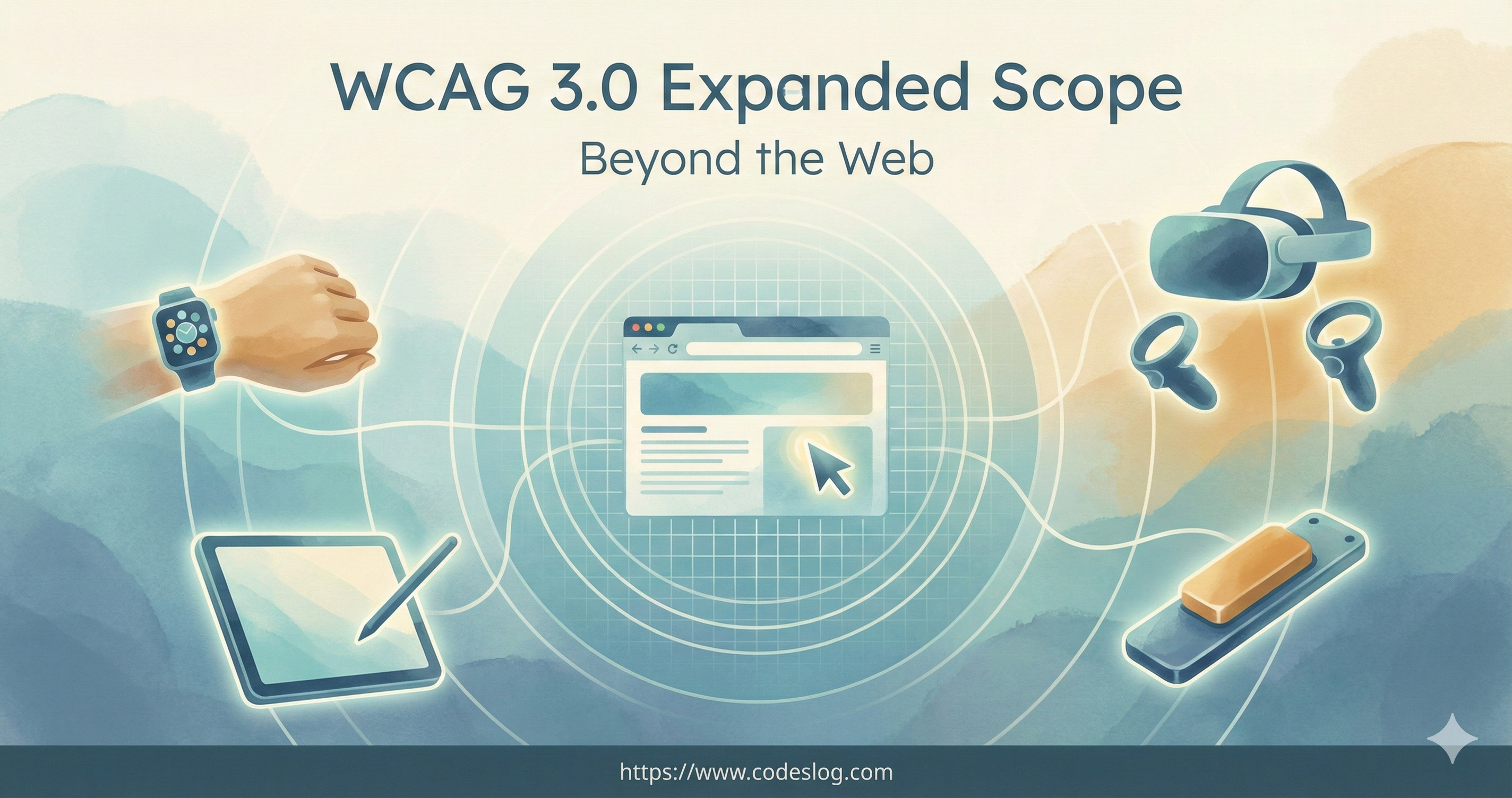
Illustration: Nanobanana
How Far Did WCAG 2.2’s Scope Reach?#
WCAG 2.2 targets web content. It does take a broad view of the devices that deliver that content, though — it explicitly applies to web content on any device: desktops, laptops, kiosks, mobile, and so on.
Where it had limits was in dealing with non-web documents and software. That gap was bridged by a separate guidance document, WCAG2ICT, which explained how to apply WCAG 2 to non-web documents and software.
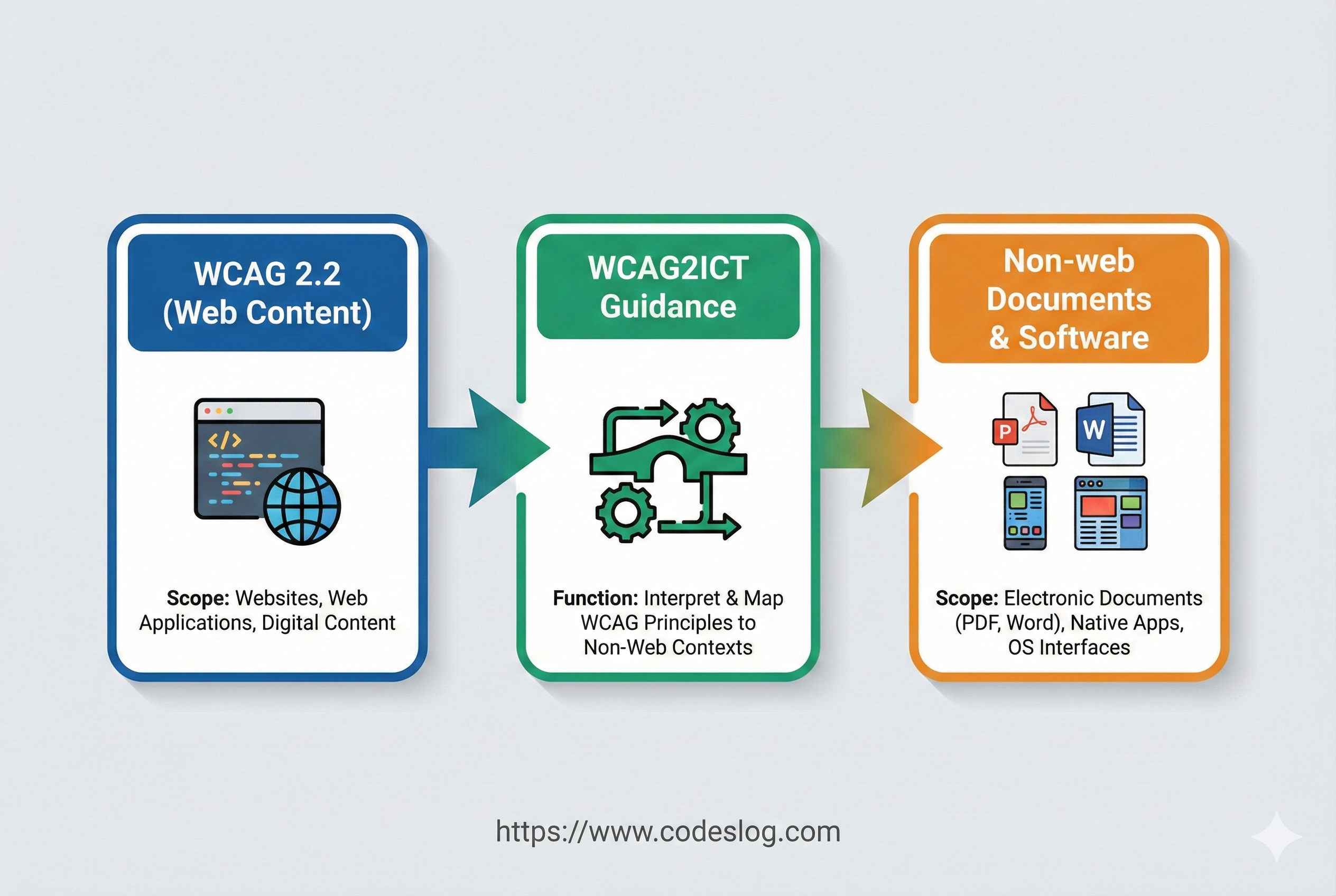
Illustration: Nanobanana
The “Expanded Scope” in the WCAG 3.0 Draft#
The WCAG 3.0 Draft spells out its scope quite concretely in the Abstract. The WCAG 3 Introduction document also mentions web content and apps together in its summary — a signal that the lens is shifting from “web pages” toward digital experiences as a whole. The Introduction states that WCAG 3.0 covers web content, apps, tools, publishing, and emerging web technologies.
There are three core expansions.
Expanded device coverage Beyond desktops, laptops, tablets, and mobile, the scope now includes wearable devices and Web of Things devices.
Expanded content types In addition to static, dynamic, interactive, and streaming content, the scope now covers virtual reality (VR) and augmented reality (AR), as well as alternative access presentation and control.
Expanded tooling ecosystem Beyond browsers and assistive technologies (user agents), the scope now includes related web tools such as CMS platforms, authoring tools, and testing tools.
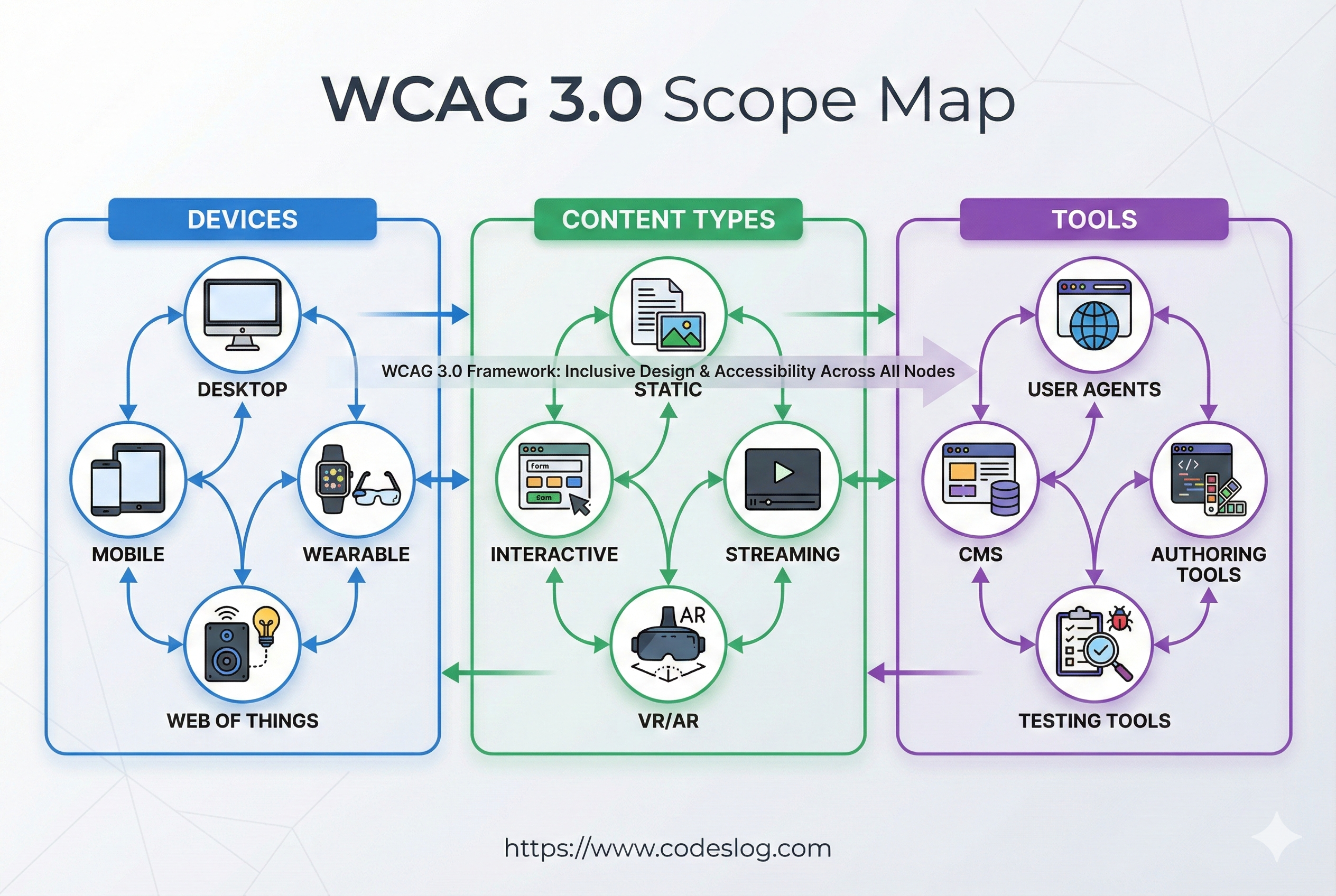
Illustration: Nanobanana
You can read the exact language in the Draft’s Abstract:
These guidelines address the accessibility of web content on desktops, laptops, tablets, mobile devices, wearable devices, and other Web of Things devices. The guidelines apply to various types of web content, including static, dynamic, interactive, and streaming content; audiovisual media; virtual and augmented reality; and alternative access presentation and control. These guidelines also address related web tools such as user agents (browsers and assistive technologies), content management systems, authoring tools, and testing tools.
What “Beyond the Web” Means in Practice#
An expanded scope isn’t just a declaration — it means your team’s checklist changes.
For example, these kinds of questions start coming up naturally in day-to-day work:
- Isn’t there a growing expectation that mobile apps meet the same accessibility bar as the web?
- How do you evaluate information density and interaction models for small-screen environments like wearables?
- In XR content, how do you replace or supplement a visually-centered UI?
- How does the CMS or authoring tool your team uses affect the accessibility quality of the content it produces?
- How well do testing tools keep up with new interaction paradigms?
This, I think, is the message WCAG 3.0 is sending: “Accessibility isn’t a per-page web problem. It’s a whole-digital-experience problem.”

Photo: Unsplash / Jakub Żerdzicki
Kiosks and the Reality of “Closed Functionality”#
The word “kiosk” doesn’t appear directly in the Draft’s scope description. But in practice, kiosks come up constantly as a prime example of “beyond the web.”
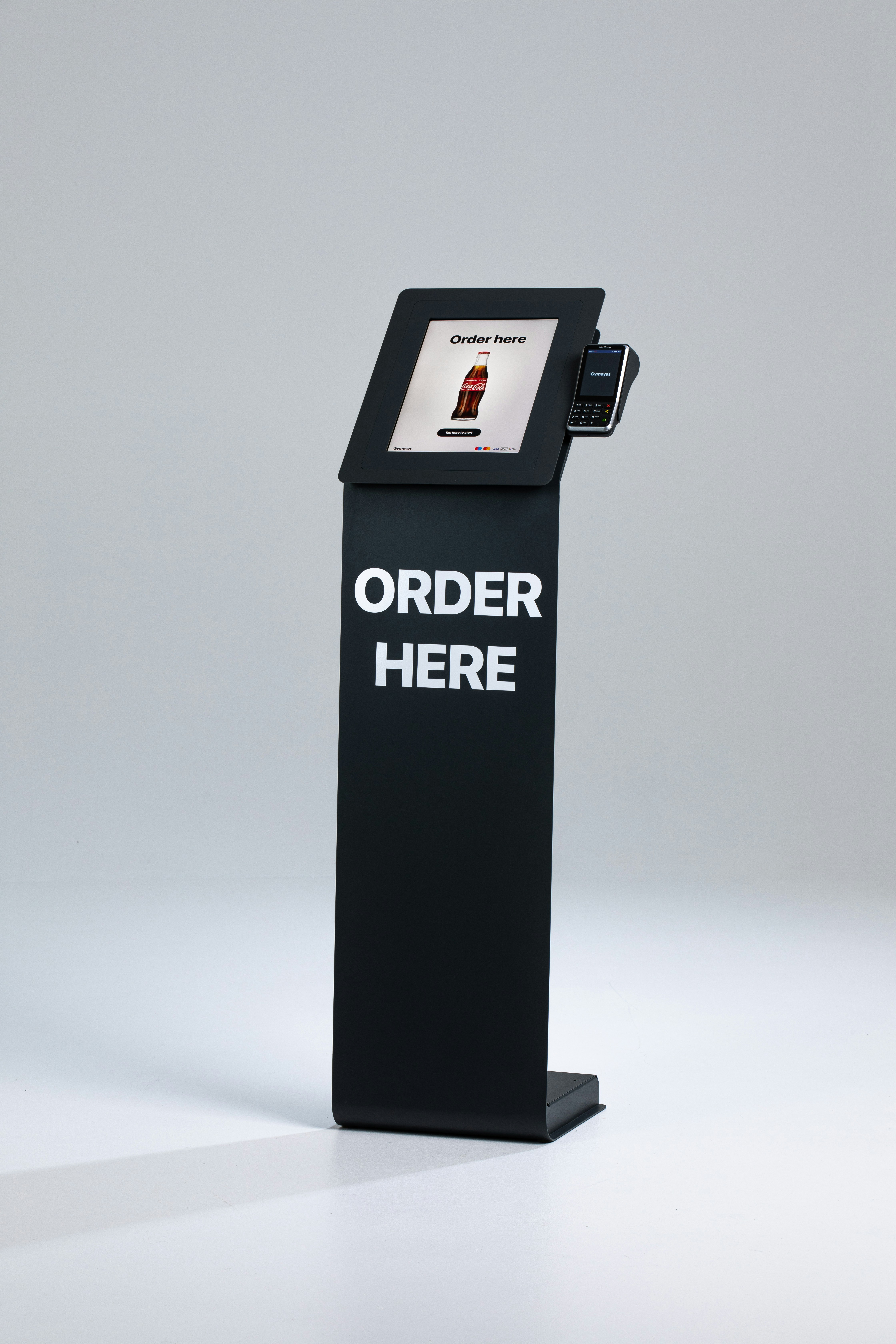
Photo: Unsplash / Onesix
- A kiosk can be a device that delivers web content
- And at the same time, it’s often a “closed functionality” environment where installing or configuring assistive technologies isn’t possible
That raises practical questions like:
- “Can we just apply web standards directly?”
- “If assistive technologies can’t be used, how do we design alternative access?”
Kiosk Accessibility in South Korea: An Ongoing Challenge#
In South Korea, kiosk accessibility is a social challenge playing out right now.
Fast food restaurants, cafés, cinemas, transit stations… ordering without a kiosk has become difficult in daily life. But the reality? Audio guidance for people with visual impairments is often absent, screen heights don’t work for wheelchair users, and touch interfaces are unfamiliar to many older adults.
To address this, the Digital Inclusion Act passed the National Assembly in December 2024 and came into effect on January 22, 2026. This is the first framework law to place accessibility obligations on kiosk manufacturers and lessors as well — not just on the businesses that install and operate them, which is the more realistic picture given that most venues buy or lease off-the-shelf units.
Key provisions:
- From January 28, 2025: Venues of 50㎡ or more must install barrier-free kiosks
- From January 28, 2026: Existing kiosks must be replaced with accessible models
- Manufacturer obligations: Audio guidance, an assistance-call function, and meeting barrier-free standards
- Non-compliance: A correction order, followed by a fine of up to 30 million KRW
That said, disability advocacy groups have raised concerns. The previous standard required meeting all six criteria — including wheelchair accessibility, tactile paving, and Korean Sign Language support — but the revised rules reduced that to just two requirements: meeting the Ministry of Science and ICT’s verification criteria and installing audio guidance.
Where WCAG 3.0 and South Korean Kiosks Intersect#
This is exactly why it’s worth reading the WCAG 3.0 Draft’s expanded scope alongside the non-web application experience accumulated in WCAG2ICT.
Just as South Korea’s Digital Inclusion Act “expanded responsibility to manufacturers and lessors,” WCAG 3.0 is “expanding scope to the tooling ecosystem.” The direction is similar.
In other words, kiosks sit at the intersection of the Draft’s expanded scope, the non-web reality, and each country’s legal framework. If your team works in South Korea, there’s a clear reason to track both the WCAG 3.0 direction and the specific requirements of the Digital Inclusion Act.
Not the Web, But Web-Like UX#
Another important layer is environments that are “an app on the outside, web tech on the inside.”
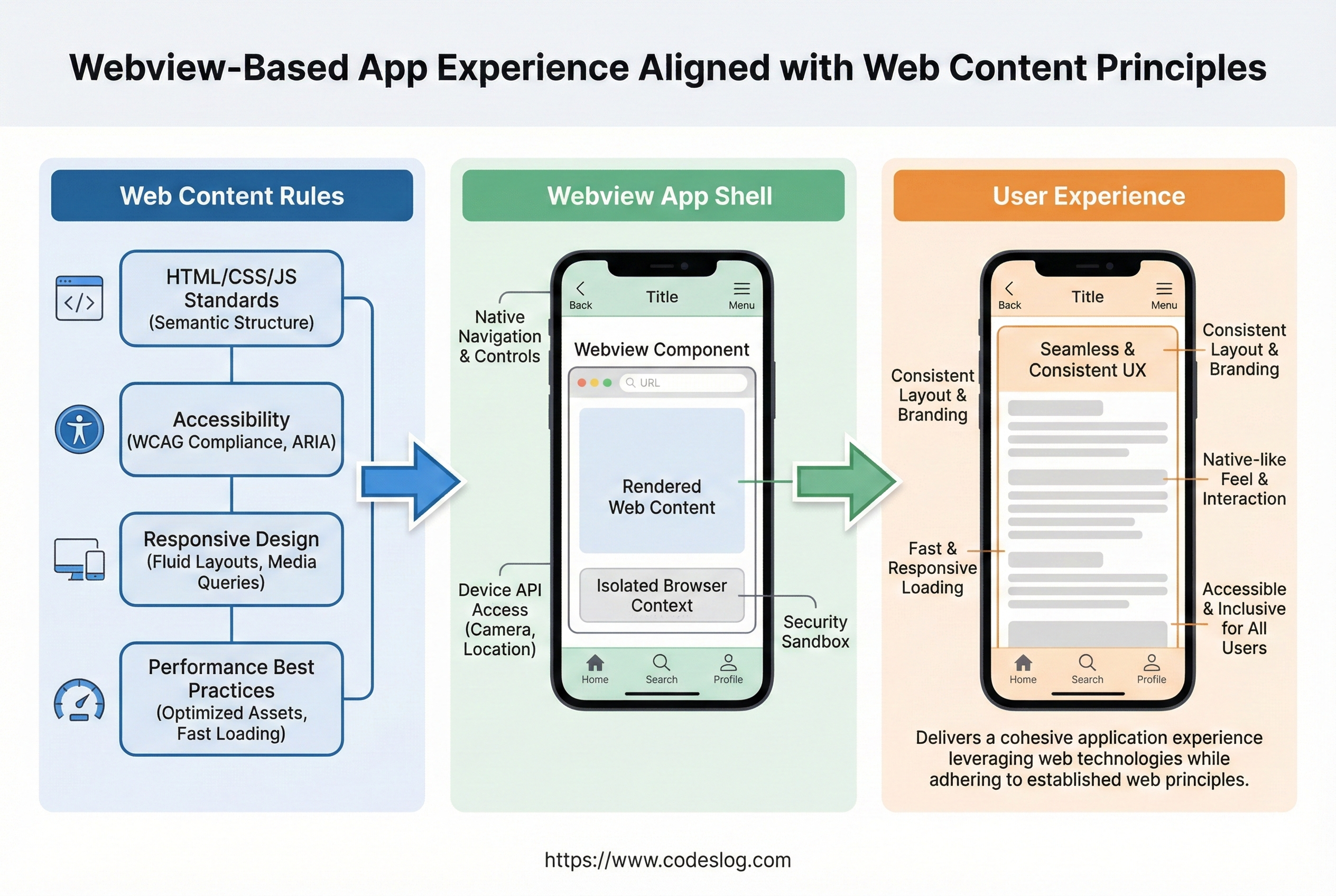
Illustration: Generated with Nanobanana AI
- WebView-based apps
- Kiosk UIs built with browser technology
- Large-screen or exhibition UIs built with web tech
In these cases, web content principles apply directly — and at the same time, device constraints (input method, screen size, fixed environment) add another layer on top.
So in practice, it’s safe to structure it this way:
- First, apply the standards for web content
- Then, design alternative access that accounts for device constraints
What matters more than “is it web or not?” is whether users can actually access it.
WCAG 2.2 vs. WCAG 3.0 Draft: Scope Comparison#
| WCAG 2.2 | WCAG 3.0 Draft | |
|---|---|---|
| Primary target | Web content | Web content + app experiences (per Introduction summary) |
| Device coverage | Web content on any device | Includes wearables and Web of Things |
| Content types | Web content-focused | Extends to VR/AR, streaming, alternative access |
| Tooling coverage | Web content creation and consumption | Extends to user agents, CMS, authoring tools, testing tools |
| Non-web coverage | Supplemented by WCAG2ICT guidance | Expanded scope built into the guidelines themselves |
This table is a practical summary of the Draft’s direction, not a final definitive statement.
What Your Team Can Start Doing Now#
Even in Draft form, there’s meaningful preparation you can do.
Organizational Perspective#
Redefine your digital experience scope Start viewing web, app, document, and device accessibility as a single, unified responsibility
Audit your toolchain Document how your CMS, design system, and testing tools affect accessibility quality
Connect to WCAG2ICT If your work touches non-web environments, consolidate what you’ve already learned from applying WCAG2ICT
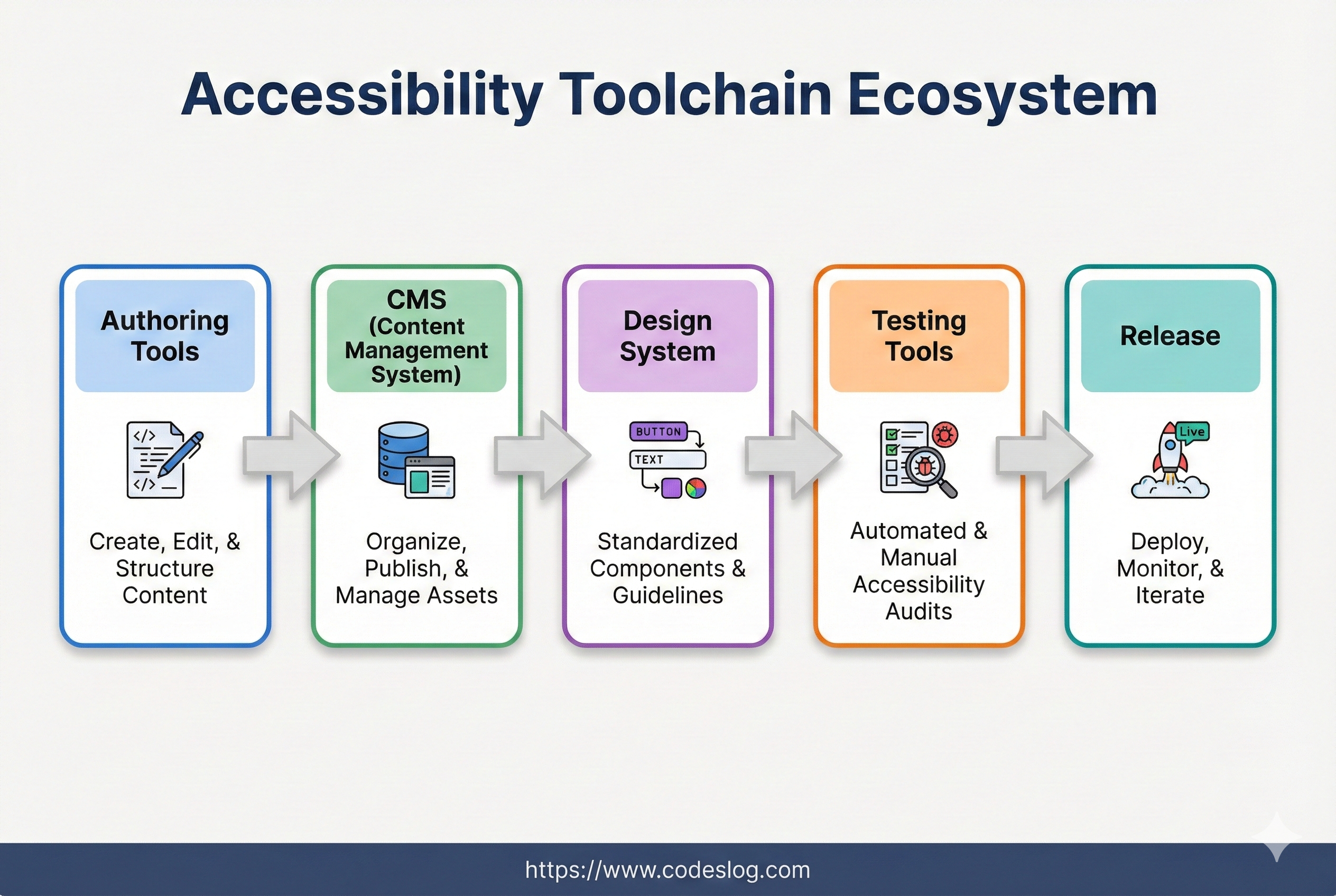
Illustration: Nanobanana
Frontend Development Perspective#
WCAG 3.0’s expanded scope raises new questions for developers too. Here’s what’s worth starting to prepare now.
Build accessibility into components from the start When building shared components — buttons, modals, dropdowns — make accessibility something you build in from the beginning, not add on later. If you have a design system, that’s where to start. Get it right once and the whole team benefits.
Account for a variety of input methods Don’t just think about the mouse. There’s keyboard, touch, voice, and switch devices to consider. Keyboard navigation and focus management are fundamentals — and don’t forget
:focus-visiblestyling.Go beyond responsive to adaptive WCAG 3.0 includes wearables and IoT devices in scope. You may not be building smartwatch UIs anytime soon, but it’s worth developing the habit of checking that content is usable at extreme viewport sizes. Does your layout break at 200% zoom? 400%?
Include accessibility in your automated tests Add accessibility checks like axe or Lighthouse to your CI/CD pipeline. They won’t catch everything, but they’re a solid safety net against regressions. Jest + jest-axe and Playwright + axe-core are both good combinations.
Semantic HTML first, ARIA second
<button>,<nav>,<main>beat a pile of<div>s every time. Use ARIA when semantic HTML alone can’t get you there. “No ARIA is better than bad ARIA” — that saying exists for a reason.Support dark mode and high contrast mode Try using media queries like
prefers-color-schemeandprefers-contrast. Respecting users’ system preferences is a good signal not just for accessibility, but for UX overall.
Wrapping Up#
WCAG 3.0 Draft’s “beyond the web” is both an expansion of scope and an expansion of responsibility. Going forward, accessibility will likely move from being a “web team checklist item” to a quality concern for the entire digital product.
The next post will look at how organizations currently following WCAG 2.2 can transition to WCAG 3.0 — from a migration strategy perspective.
References#
- WCAG 3.0 Working Draft - W3C Working Draft (2026-02-20, latest)
- WCAG 3.0 Latest Published Version - W3C latest published version
- WCAG 3 Introduction - Overview document
- WCAG 2.2 - Current recommendation
- WCAG2ICT - Applying WCAG to non-web ICT
- Digital Inclusion Act passes National Assembly - Asia Economy (Korean)
- Kiosk lessors now legally obligated — Digital Inclusion Act takes effect - Digital Daily (Korean)
- Barrier-free kiosks: improving information access for people with disabilities through reasonable policy reform - Ministry of Health and Welfare (Korean)
Disclaimer: This post is based on the WCAG 3.0 Working Draft dated 2026-02-20. WCAG 3.0 is still under development and the content may change before the final recommendation is published. Please refer to the W3C documents for the latest information.