Skip to content
Playwright × AI — codegen, MCP, Self-Healing Selectors thumbnail

Playwright × AI — codegen, MCP, Self-Healing Selectors

This is Part 20 of the “Frontend Testing, Done Right” series. Browse the full series · Glossary By now, AI “writing” test code for you feels familiar. Lately, though, it’s gone a step further — AI has started opening the browser itself, clicking through it, and checking whether things work. It’s a neat trick, but ask “so can I actually use this at work?” and the answer gets fuzzy fast. Tool names keep popping up, but there’s rarely a single piece that lays out what each one actually does and how far you can trust it. This article is that map. ...

Published date: 2026-08-06 · Reading time: 7 min · Word count: 3464 words · Author: Isaac
Building Test and Accessibility Gates with GitHub Actions thumbnail

Building Test and Accessibility Gates with GitHub Actions

This is Part 17 of the “Frontend Testing, Done Right” series. Browse the full series · Glossary Tests have no power while they’re “something you run locally, sometimes.” They protect a team only once they become a checkpoint that runs on every PR. This article builds that checkpoint with GitHub Actions — a merge gate where unit tests, E2E, and accessibility checks must pass before code can merge — from a single workflow file. Never touched CI? Fine. Three minutes of vocabulary first. ...

Published date: 2026-08-03 · Reading time: 6 min · Word count: 1250 words · Author: Isaac
Getting Started with Playwright E2E — Your First Scenario thumbnail

Getting Started with Playwright E2E — Your First Scenario

This is Part 11 of the “Frontend Testing, Done Right” series. Browse the full series · Glossary Playwright is an E2E testing tool that drives real browsers (Chromium, Firefox, WebKit) with code. E2E (End-to-End) is exactly what it says — reproducing the entire flow of a user visiting, searching, and seeing results, in an actual browser. This article goes from install to a passing first scenario in one sitting. If you’ve been following the series, this is where the stage gets bigger — we’ve been playing inside jsdom, a pretend browser; now we open a real one. New here? No problem: we start from installation, and you can put any Vite/React app of yours where the demo app sits. (Demo UI strings are Korean — 대시보드 = “Dashboard”, 검색 = “Search”.) ...
Published date: 2026-07-18 · Reading time: 4 min · Word count: 1781 words · Author: Isaac
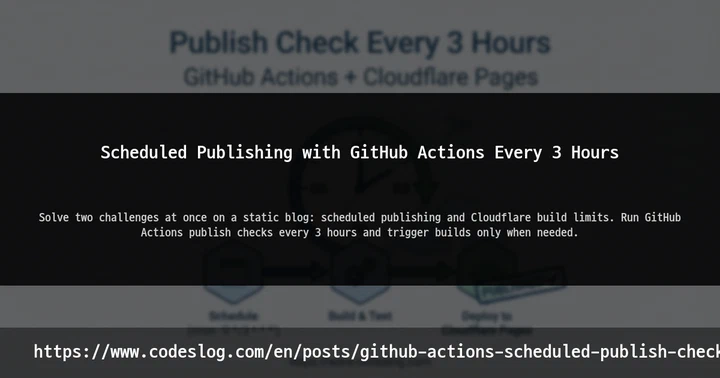
Scheduled Publishing with GitHub Actions Every 3 Hours thumbnail

Scheduled Publishing with GitHub Actions Every 3 Hours

Introduction When running a static blog, “scheduled publishing” and “build limits” often become problems at the same time. In particular, building on every commit can easily hit build limits on platforms like Cloudflare Pages. In this post, I’ll walk you through the approach I’m actually using: running a publish check with GitHub Actions every 3 hours to handle scheduled publishing. The key idea is “check only at set intervals, and publish only when needed.” ...

맨 위로